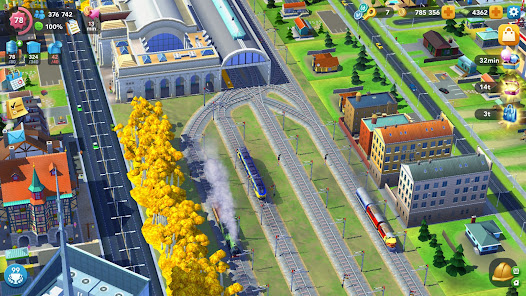
This guide covers simcity buildit how to manage commercial production with practical steps for mobile players.
Quick answer: Commercial buildings in SimCity BuildIt turn raw materials from factories into the goods that residential upgrades require. Each commercial building produces a specific set of items on a timer, and its output goes into your warehouse until you deliver it to a house or sell it. Keep at least one commercial building on permanent production of whatever your current upgrades need, and add more buildings as the city’s demand grows.

How does commercial production actually work?
You select a recipe, the building consumes the required materials, and after a timer the finished goods appear in your warehouse. The building then idles until you queue the next item.
That idle time is the inefficiency most players never notice. A commercial building waiting for a new instruction is producing nothing, and since production continues while you are away, an idle building is a wasted overnight run.
Queue before you close the game. Setting a long recipe is a decision that costs nothing and returns goods while you are doing something else, which is the single most efficient habit in the game. The same applies to factories, and a player who queues both before leaving returns to a warehouse of ready materials.
On this page
Which commercial buildings should you build?
Start with the ones whose goods appear most often in upgrade requirements. A building that supplies three common upgrades is worth more than one producing a luxury item you rarely need.
Add a second building of the same type once demand outstrips supply. If your houses are consistently waiting on the same item, the answer is capacity rather than a different recipe.
Spread your buildings across types rather than stacking one. Different upgrades need different goods, and a varied set keeps you able to respond to whatever the next house asks for.
| Building type | Typical output | Best use |
|---|---|---|
| Basic supplies | Simple construction goods | Early house upgrades |
| Hardware | Tools and fittings | Mid-level upgrades |
| Food and drink | Consumable goods | Upgrades and orders |
| Specialist shops | Higher-value items | Later upgrades and events |
Why do commercial buildings sit idle?
Usually because the materials they need are missing. A building cannot start a recipe without its inputs, and if the factory is producing something else, the commercial building waits.
The second cause is a full warehouse. Goods cannot be delivered into a full store, so the building stops and the production time is lost rather than banked.
The third is simply that nobody queued the next run. Since the game does not queue automatically, a building left alone after finishing one item stays idle until you return, which is the most common and most avoidable loss. Check every building before closing the app, not just the one you were using.
Should you sell goods or deliver them?
Deliver them whenever a house needs them. Delivery raises population and therefore tax income, which is a permanent gain rather than a one-off payment.
Sell when nothing needs the goods and storage is tight. The trade depot takes surplus at a modest price, which is better than blocking production, though worse than delivering the same goods to a house.
The order matters: deliver to houses first, satisfy orders second, sell last. Working down that list uses every good at its highest value instead of converting it into the least valuable outcome.
That hierarchy is worth internalising because it resolves the decision without thought. Any good you produce has three possible destinations and only one of them is usually correct, and knowing the order means you spend your attention on production rather than on deciding what to do with the output.
How many commercial buildings do you need?
Enough that your houses are rarely waiting. If you find yourself repeatedly checking a house whose requirement is not being produced, you are short of capacity.
The number grows with the city. A small town might need two or three; a developed city needs a row of them, each dedicated to a purpose rather than all doing the same thing.
Do not overbuild early. Commercial buildings cost coins that utilities need, and a building with nothing to produce is a plot that could hold housing.
A useful discipline is to decide each building’s job and keep it there. One building makes the goods your current upgrade round needs, one keeps a permanent stock of something every house wants, and a third handles anything an order or event is asking for. That division means you never have to think about which recipe to run when you open the game.
It also makes shortages easy to diagnose. If a particular good is always missing, you know exactly which building is responsible and can add a second one of that type rather than guessing at your whole production setup.
What are the common production mistakes?
Leaving buildings idle overnight is the first and most costly. The second is producing goods nobody needs while a house waits for something else.
The third is running out of materials because the factory was set to the wrong item. The fourth is letting storage fill so the finished goods cannot be collected.
The fifth is spreading production too thin. Four buildings each making a different item slowly is less useful than two making what the current upgrades need, and the extra capacity can be added once demand justifies it. Concentration beats variety when your houses are all waiting on the same thing.
Frequently asked questions
Do commercial buildings need power?
Yes. Like other buildings, they need utilities and road access to function.
Can I queue several items at once?
You queue one recipe at a time, so returning to set the next run matters.
Why is a recipe unavailable?
The required materials are missing, or the warehouse is too full to accept the output.
Should I build more commercial buildings or upgrade houses?
Upgrade if the goods exist and storage allows it. Build more if houses are consistently waiting on production.
Do commercial goods expire?
No, they stay in storage until delivered or sold.
For production and upgrades, see the SimCity BuildIt hub.
Official game information: www.ea.com.