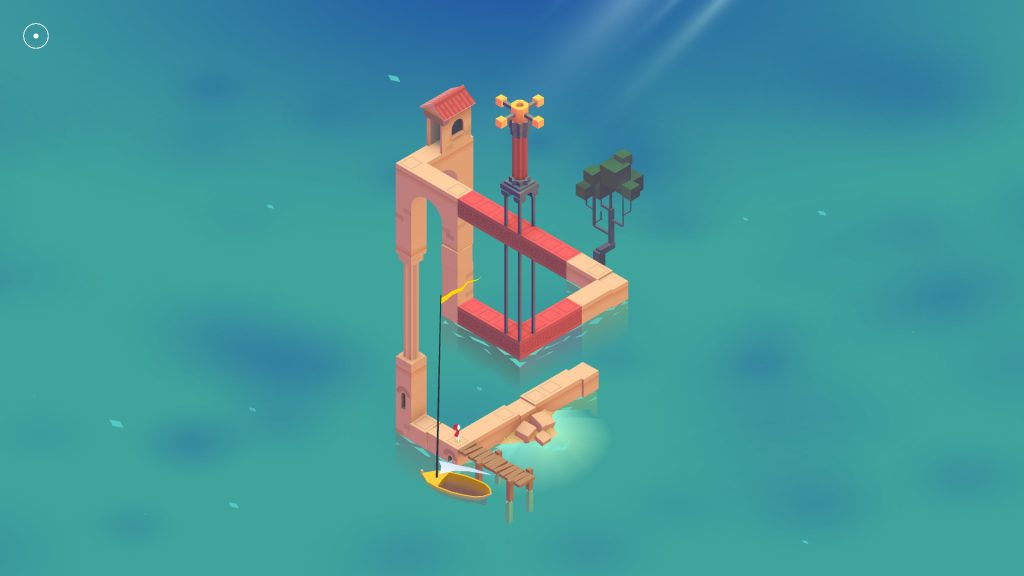
This guide covers monument valley 2 chapter 2 walkthrough with practical steps for mobile players.
Quick answer: Chapter 2 keeps the tutorial’s two actions but starts asking you to combine them. Walk until the route breaks, rotate the structure to close the gap, and expect the connection to happen between pieces that look like they sit at different heights. If you are stuck, the problem is almost always that you have been tapping instead of turning something.
The second chapter is where the game stops teaching and starts testing, though gently. It assumes you can already tap a destination and drag a movable piece, and it spends its time showing you what those actions can do when the architecture is less forgiving than the opening scene was.
What is chapter 2 asking you to do?
It asks you to use rotation as a way of changing the route rather than as a way of unblocking it. In the tutorial you rotated once to continue; here you rotate to create a path that did not exist, and then walk along it before turning the structure again.
That two-stage pattern is the core of the whole game. Turning the building is not a permanent fix; it is a temporary arrangement of the world that you exploit and then replace. Once you see a rotation as a move rather than as a switch, the chapter’s logic becomes clear.
You will also meet the first structure where the character’s position affects what you can do, because turning the piece they are standing on moves them too. That is a small complication rather than a new mechanic, but it is the first time the game asks you to think about where the character is before you drag.
On this page
Why do the pieces look like they do not fit?
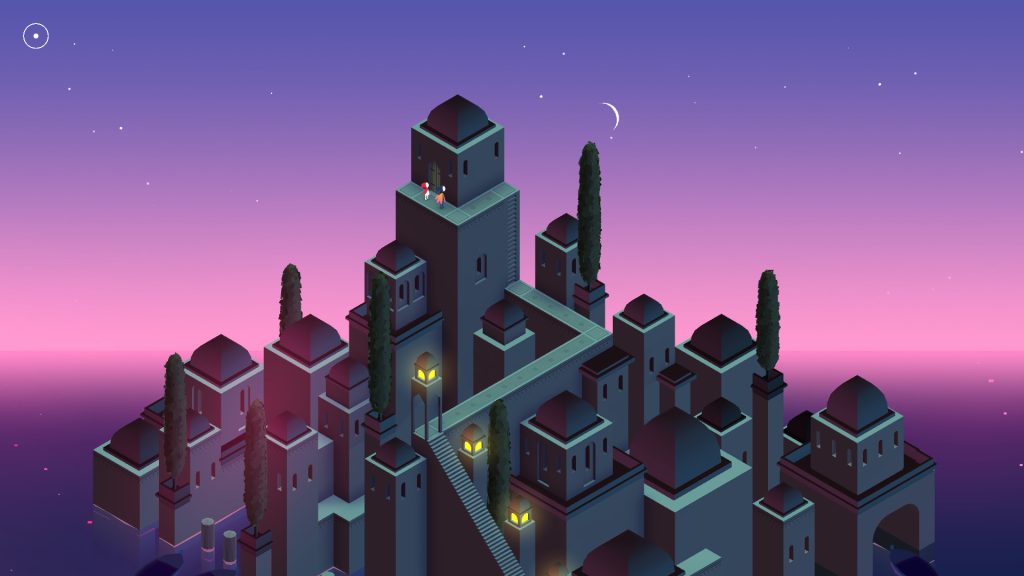
Because they genuinely do not fit, and they are not supposed to. The buildings in this game are drawn in a fixed isometric projection, and the game treats two surfaces as connected when they meet on screen rather than when they meet in three dimensions.
So a staircase can join a walkway that is clearly above it, and the character will walk across as though the height difference were nothing. That is the illusion, and accepting it is the single most useful adjustment a new player can make.
Once you stop asking where a path physically goes and start asking where it appears to go, most of the apparent contradictions disappear. The picture is the world, not a view of the world.
How do you find the route when it seems to end?
Trace the path from the character forward and locate the exact point where it stops being continuous. That break is the puzzle. Everything you need to change is near it, and the change is almost always a rotation of something adjacent.
Then look at what the break connects to on the other side. Sometimes the gap is closed by turning the piece you are standing on, and sometimes it is closed by turning a distant structure whose edge swings into alignment with your current path.
If neither seems to work, work backwards from the goal. The end of the route is usually visible, and the last few steps before it tell you which part of the structure has to be arranged, which often makes the beginning obvious.
What are the common early mistakes?
Tapping repeatedly at an unreachable point is the first. The character will not move to a destination that is not connected, and no amount of tapping changes that. The route has to exist before you can use it.
Rotating too fast is the second. Rotation snaps into position, and a quick flick carries the structure past the alignment you were aiming for, leaving you to hunt for the same angle again with less patience than you started with.
The third is treating the chapter as a sequence to optimise. There is no penalty for wandering, no move limit and nothing to conserve, so the efficient approach is to experiment freely rather than to plan a perfect route.
It is also worth resisting the urge to solve the scene in one continuous motion. The chapters are built from small arrangements, and each arrangement only has to work for a few steps. Players who try to hold the whole route in their head at once tend to lose track of which rotation is currently in effect, while players who treat each turn as a fresh problem move through the scene much more quickly.
Finally, watch the architecture rather than the character. The character only ever moves along paths you have already made available, so following them tells you nothing new. The information is in the structure: which pieces can turn, what they connect to when they do, and which edge of the picture they affect.
How long does chapter 2 take?
Longer than the tutorial and still short. It is a single scene with a handful of rotations, and a first attempt usually takes a few minutes, most of which is spent looking rather than acting.
If it takes considerably longer, the likely cause is that you have found a working route but assumed it was a dead end because the next step was not obvious. Rotating the structure again from where you are standing is usually the answer.
There is no fail state to worry about, so the only real cost of taking your time is time itself. The chapter is designed to be solved by observation, and observation cannot be rushed.
What carries into chapter 3?
The idea that rotation is a temporary move rather than a permanent fix. Later chapters chain several arrangements together, and each one only needs to hold long enough for the character to cross it.
The idea that height is decorative. Two surfaces at different apparent heights connect if the picture says they do, so your instinct about what is physically possible is the thing to distrust.
The habit of checking where the character stands before dragging. Turning a piece you are standing on moves you with it, which is sometimes exactly what you want and sometimes quietly ruins a route you had already built.
Frequently asked questions
Why can the character walk between two different heights?
Because the game connects surfaces that meet in the projected image rather than in three-dimensional space.
Can I get stuck permanently in chapter 2?
No. Rotations can always be reversed, and there is no state that prevents progress.
Is there anything hidden in chapter 2?
No collectibles exist in the game, so there is nothing to find beyond the route itself.
Should I rotate the piece the character is standing on?
Sometimes. It carries the character with it, which can be useful or can undo a route you had already set up.
How do I know a rotation is correct?
The path becomes continuous on screen. If it does not, keep turning or look for a different movable piece.
Next: the chapter 3 walkthrough, or return to the Monument Valley 2 hub.
Official game information: www.monumentvalleygame.com.