
This guide covers monument valley 2 chapter 1 walkthrough with practical steps for mobile players.
Quick answer: Chapter 1 is the tutorial, and it teaches exactly two actions: tap a point on a path to walk there, and drag a movable piece to rotate the structure. Follow the route until it ends, rotate whatever is in front of you until the path continues, then tap onward. Nothing in the chapter can be failed, missed or locked, so the only thing worth learning is the habit of moving the building when the walking stops.
The opening chapter is a teaching space disguised as a scene. It introduces the mother and the child, sets the wordless tone that the rest of the game maintains, and hands you each interaction in the order you will need it later. There is no timer and no threat, which means the chapter can afford to be brief.
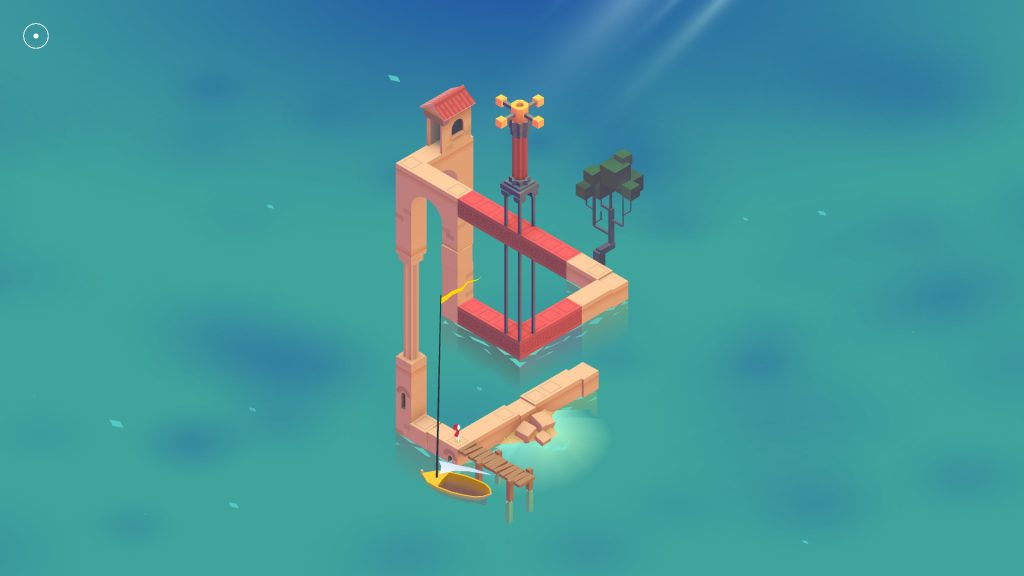
What does chapter 1 teach you?
It teaches tapping first. A path is visible, a destination on that path is available, and tapping it walks the character along the route. This is the entire movement system, and the chapter repeats it enough that it becomes automatic before anything else is introduced.
It teaches rotation second. When the route runs out, a movable element sits within reach, usually a wheel or a handle attached to the structure. Dragging it turns the building, and turning the building produces a new route where there was not one before.
Those two actions are the whole vocabulary. Later chapters add sliding pieces and multi-part structures, but they are variations on tap and drag rather than new systems, which is why the tutorial never needs to be repeated.
On this page
How do you move the characters?
Tap the point you want to reach. If a continuous path connects the character’s current position to that point, they walk it. If it does not, nothing happens at all, which is the game’s only form of feedback and the only signal you need.
The route is drawn on the architecture itself, so you are reading a path rather than steering a character. There is no jump, no run and no physics; movement is a decision about where to stand next, not a test of timing.
Because of that, there is no wrong move to punish. Walking somewhere unhelpful costs a tap to walk back, and the game never gates progress behind precision.
What should you do when the path stops?
Rotate before you tap again. The most common early mistake is tapping repeatedly at a destination that is not connected, hoping the character will find a way. The path is not hidden; it genuinely does not reach that point yet.
Look for the discontinuity. Trace the route forward and find the exact place it stops being continuous, then look at what is near that point. Something adjacent to the break is almost always movable, and turning it closes the gap.
Drag slowly. Rotation snaps into place, and a slow drag lets you watch the moment the two ends of the path meet on screen. A fast flick spins past the alignment and leaves you hunting for it again.
Why does the character refuse to move?
Almost always because the route is incomplete. In this game a character will not walk to a point that is visually close but not connected, and the refusal is information rather than an obstacle.
The second possibility is that you tapped a decorative part of the structure rather than a path tile. The game only responds to walkable surfaces, so a tap on a wall or a roof does nothing.
The third is that the character has already reached the furthest available point and is waiting for the architecture to change. In that case the answer is never another tap; it is a rotation.
It helps to understand that the game has no pathfinding to speak of in the conventional sense. The route is drawn on the geometry, and the geometry is what you are allowed to change, so the character’s refusal is not an obstacle to overcome but a statement about the current shape of the world. Treat every non-movement as a description of the puzzle rather than as a problem with your input, and the chapter stops feeling unresponsive.
Is there anything to miss in chapter 1?
No. The chapter sits entirely on the critical path, with no side routes, no alternate endings and no collectibles. There is nothing to find and nothing to return for.
That is true of the game as a whole, which has no collectibles at all. The reward for looking closely is noticing how a structure was built, not discovering an object hidden inside it.
So the correct approach is to play it once, watch what it demonstrates, and move on. The chapter exists to make everything after it legible, and it does that in a few minutes.
If you are replaying the game later, chapter 1 becomes interesting for a different reason. Once you know how the illusions work, the tutorial reads as a demonstration of the technique rather than as a lesson, and you can see exactly where the designer chose to show you the trick before asking you to use it. That structure repeats throughout the game, and recognising it makes the harder chapters much easier to approach because you start looking for the teaching moment rather than for the solution.
How should you prepare for chapter 2?
Carry two habits forward. When the path ends, rotate before tapping. And read the screen as a flat picture rather than as a three-dimensional object, because the geometry only has to be consistent from the camera’s fixed viewpoint.
Carry one expectation. Chapter 2 continues the story and adds slightly more complex structures, but it does not introduce a new control scheme. The actions stay the same while the buildings get more interesting.
Carry one permission. Experimenting is free. Rotating a structure and undoing it costs nothing, and the game is designed so that trying things is the intended method rather than a failure state to avoid.
Frequently asked questions
Can chapter 1 be skipped?
Not on a first playthrough. It is the tutorial, and finishing it unlocks the chapters that follow.
Did I miss a collectible?
No. There are no collectibles anywhere in the game, so there is nothing to go back for.
Why will the character not walk where I tap?
The path does not reach that point yet. Rotate the structure until the route connects, then tap again.
Is chapter 1 the shortest chapter?
Yes. It is deliberately brief because it is teaching controls rather than presenting a puzzle.
Do I need to remember anything for later chapters?
Only the habit of rotating when a path ends, and the idea that the flat image is what connects.
Next: the chapter 2 walkthrough, or return to the Monument Valley 2 hub.
Official game information: www.monumentvalleygame.com.