
This guide covers monument valley 2 chapter 4 walkthrough with practical steps for mobile players.
Quick answer: Chapter 4 adds sliding elements to the rotation you already know. Instead of only turning a structure, you now drag pieces along a track, which changes the picture without changing the orientation. The method is the same as before: find where the route breaks, then ask whether that break is closed by turning something or by sliding something.
This is the chapter where the game quietly doubles its vocabulary. Rotation changes which surfaces face each other; sliding changes where a surface sits along a fixed line. Both alter the projected image, and the puzzles here are built on the difference between the two rather than on either one alone.
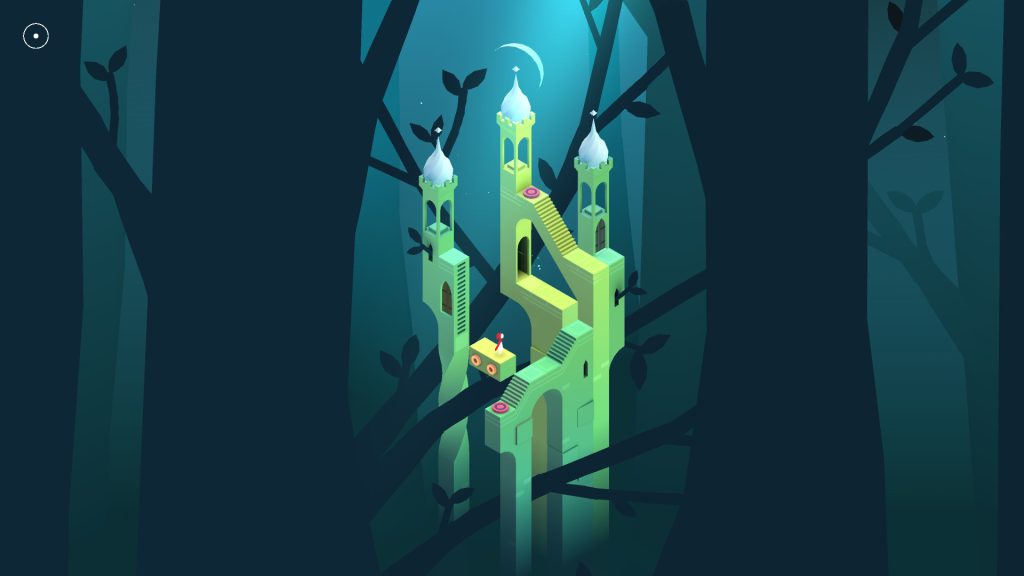
What is new in chapter 4?
Sliders. A piece sits on a track and can be dragged back and forth, and its position on that track decides what it connects to. Unlike rotation, a slider does not change orientation, so the surfaces keep their facing and only their location changes.
That distinction matters because it gives you a second kind of answer to the same question. When a route breaks, the fix might be to turn the structure so a surface aligns, or to slide a surface so it arrives at the right place while keeping its orientation.
The chapter is built to make you try the wrong one first. Most players rotate out of habit, discover that turning does not close the gap, and only then notice the track the piece is sitting on.
There is a good reason for that order of discovery. Rotation is the more dramatic action, it moves more of the picture, and it has already solved every problem the game has presented so far. Sliding is quieter, affects less, and only becomes obvious once you have exhausted the louder option and started looking at the structure rather than at the gap.
On this page
How do you tell a slider from a rotating piece?
Look at the mounts. A rotating piece has a wheel, a handle or a circular joint, and dragging it turns the whole assembly. A slider has a visible rail or channel, and dragging moves the piece along that line rather than around an axis.
Watch what moves when you drag. If the entire structure reorients, you have a rotation. If a single piece travels while the rest of the building stays still, you have a slider, and the piece will stop at the ends of its track.
If a piece refuses to move at all, it may be locked until another element is in the right position. In that case, deal with the mechanism you can move first and come back.
What should you do when a route will not connect?
Identify the break precisely, then test both kinds of fix. Turn the nearest movable structure and see whether the gap closes; if it does not, look for a track that could bring a piece into alignment without reorienting anything.
It also helps to notice what the gap is made of. A break between two surfaces that face the same way is usually a sliding problem, because the surfaces are already correctly oriented and only need to meet. A break between surfaces facing different directions is usually a rotation problem.
That single distinction resolves most of the confusion in this chapter, and it stays useful for the rest of the game, where the two mechanisms are frequently combined in the same structure.
How do you avoid undoing your own progress?
Walk before you adjust. Move the character to the furthest reachable point on the current route, then change the structure from there. Adjustments made from the frontier rarely cost you a route you still need.
Change one mechanism at a time. If you rotate and slide in the same movement, you lose track of which change produced the result, and when the route fails you cannot tell what to reverse.
Keep a mental note of the arrangement that worked. If a later adjustment breaks it, you can return to the known-good state rather than hunting for it, which matters more in this chapter than in the earlier ones because there are now two variables to restore.
Why is the character sometimes left behind?
Because sliding a piece out from under them does not carry them with it, unlike rotating a structure they are standing on. If the surface they occupy moves along a track, they stay where they were and the route beneath them changes.
This is a useful tool as well as a hazard. Leaving the character in place while a platform slides away can position them for a route you could not otherwise reach, and the chapter expects you to notice that possibility.
If a character appears stranded, the fix is usually to slide the piece back under them or to rotate something else that gives them a new route out. Nothing in the game can leave you permanently stuck.
How should you approach chapter 4 in practice?
Start by walking as far as you can without touching anything. That establishes the frontier and tells you which part of the structure is actually blocking progress, rather than which part merely looks interesting.
Then look at the mounts around that blockage and decide whether the answer is orientation or position. Try the cheaper change first: a single slide is easier to reverse than a rotation that moves an entire assembly.
Finally, accept that this chapter is teaching a distinction rather than presenting a hard puzzle. Once you can tell a slider from a rotating piece on sight, the scenes that follow become much easier to read.
Frequently asked questions
How do I know if a piece slides or rotates?
Look at how it is mounted. Wheels and circular joints rotate; rails and channels slide.
Does sliding a piece move the character?
No. Unlike a rotation, a sliding surface leaves the character where they stand.
Can a piece be locked until something else moves?
Yes. If a mechanism will not respond, deal with the parts you can move and return to it.
Is there a wrong order to do things in?
Only in the sense that a change can break a route you still need. Walk first, then adjust.
Does chapter 4 introduce anything else?
It focuses on sliding alongside rotation. Later chapters add further combinations rather than new controls.
Next: the chapter 5 walkthrough, or return to the Monument Valley 2 hub.
Official game information: www.monumentvalleygame.com.