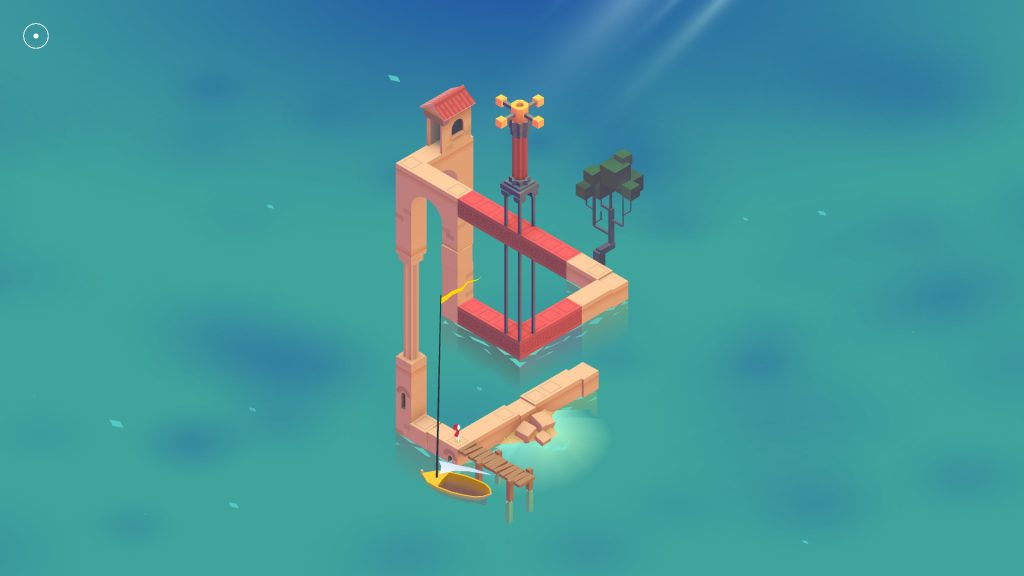
This guide covers monument valley 2 how to understand impossible paths with practical steps for mobile players.
Quick answer: An impossible path in Monument Valley 2 is a route that only works because the game connects surfaces that meet in the projected image rather than in three-dimensional space. The camera never moves, so the picture is the world: if two edges touch on screen, the character can walk between them. Stop reasoning about what the building must be like and read the flat image instead.
This is the idea the whole game rests on, and it is worth understanding properly rather than absorbing by accident. Almost every puzzle you will meet is a variation on the same trick: geometry that is inconsistent as an object but perfectly consistent as a drawing.
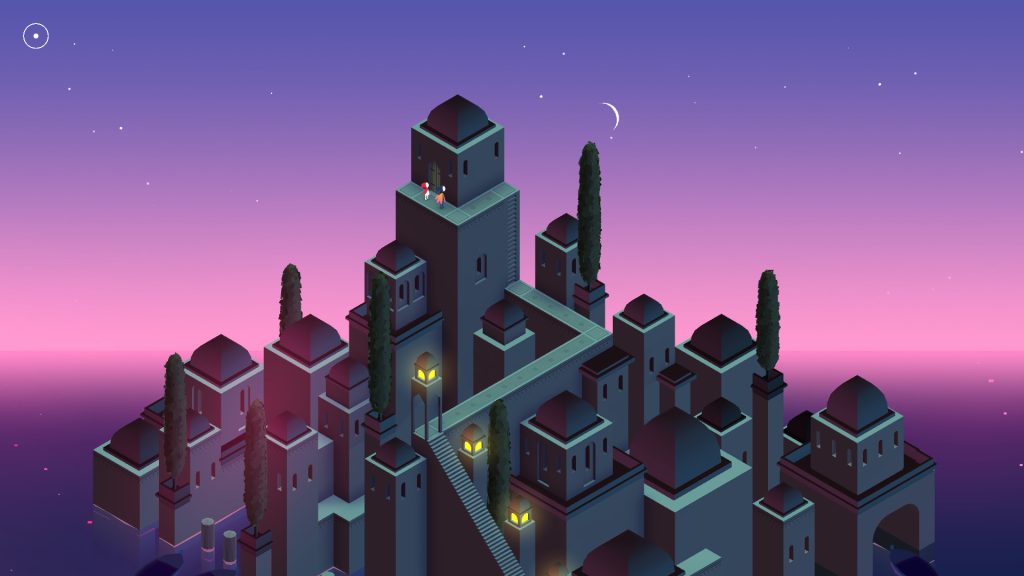
What is an isometric projection?
It is a way of drawing three dimensions on a flat surface without perspective. Parallel lines stay parallel, and objects further away are the same size as objects nearby. The result looks like a technical drawing of a building rather than a photograph of one.
The consequence is ambiguity. Because there is no vanishing point, the drawing does not tell you how far away anything is, and two surfaces that are far apart in the implied building can share an edge on the page.
In most games that ambiguity would be a visual problem to be avoided. Here it is the mechanic: the game reads the drawing, so the ambiguity becomes a legitimate connection.
On this page
Why can the character walk between different heights?
Because the two surfaces meet at a shared edge in the picture. A staircase that ends at a wall on screen is adjacent to that wall as far as the game is concerned, regardless of the height difference the drawing implies.
The character walks across the join without any animation suggesting a climb or a drop, which reinforces that nothing physical has happened. They have simply moved from one walkable surface to another, exactly as they would on flat ground.
Once you notice this, the apparent contradictions stop being surprising. The game is not breaking its own rules; it is applying a different rule, one where adjacency is decided by the image.
How do you spot a connection that should not exist?
Look for edges that touch. Two surfaces sharing a line in the drawing are connected, whether that line is a stair meeting a roof, a bridge ending at a wall, or a walkway running into the side of a tower.
The joins that matter usually look slightly wrong to the eye, because your brain is trying to reconstruct a consistent building and failing. That discomfort is the signal that you have found one.
Then check whether the path runs continuously to that join. If it does, walk it. If it does not, something between the character and the join needs to move, and the join itself is already correct.
Why does rotating change which joins exist?
Because rotation changes the drawing. Turning a piece moves its edges, and moving an edge changes which other edges it touches, which changes what the game considers connected.
That means a join is not a permanent feature of the level. It exists while the drawing supports it, and a single rotation can create one join while destroying another elsewhere.
This is why players who think in terms of buildings get confused: the object has not changed shape, but the picture has, and the picture is what the puzzle runs on.
How should you use this when you are stuck?
Trace the route with your eye and find the first place where continuity fails. Do not ask why it fails physically; ask which edge near that point could be moved to touch the surface on the other side.
Then look for the mechanism that moves that edge. It may be a rotation, a slider, or a moving piece that arrives periodically, and identifying which is usually enough to solve the scene.
If nothing seems to move the right edge, widen your search. Late chapters place mechanisms on the far side of the structure, and the control you need is often not the one nearest the gap.
What are the common misreadings?
Assuming the building is consistent is the biggest. Players who reconstruct a plausible three-dimensional object from the drawing will find the game’s connections arbitrary, because they are not reading the thing the game is reading.
Assuming a join is broken rather than absent is the second. A path that stops is not a bug; it is a statement that the current picture does not support the route, and the fix is to change the picture.
The third is overcomplicating. The joins are usually obvious once you stop trying to make the architecture make sense, and the answer is frequently a single rotation of a piece you have already noticed.
Frequently asked questions
Is the impossible geometry a glitch?
No. It is the core mechanic, and the game is built so that the flat image is treated as the truth.
Does the camera ever move?
It stays at a fixed angle, which is what makes the illusion work consistently and what allows the joins to be designed.
Can the character fall?
No. There is no fall damage, no death and no way to lose the character, so a wrong route only wastes a tap.
Why does a path vanish when I turn something?
The rotation changed the drawing, so the edges that were touching no longer do.
Do later chapters use this more or less?
More. The final chapters lean on perspective joins heavily, with fewer moving mechanisms to manage.
For the structures that create these joins, see the guide to rotating structures, or return to the Monument Valley 2 hub.
Official game information: www.monumentvalleygame.com.