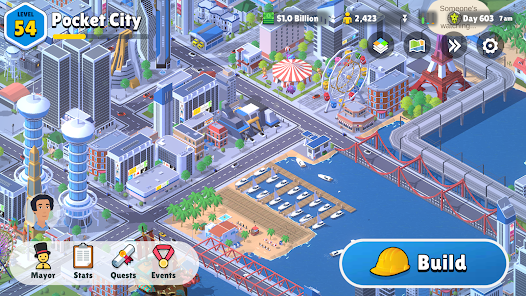
This guide covers pocket city 2 how to save a city with practical steps for mobile players.
Quick answer: To save a city in Pocket City 2, open the save menu and keep your cities in separate slots so experiments do not overwrite progress. Save before major rebuilding work, because demolishing a district is the one action that is expensive to undo. The game supports multiple city slots, which is the practical way to keep a normal save and a sandbox save side by side.
Saving sounds like a trivial topic and it is not. A city builder invites you to spend an hour on a layout decision, and the difference between keeping that hour and losing it is whether you thought about the save file before you started.
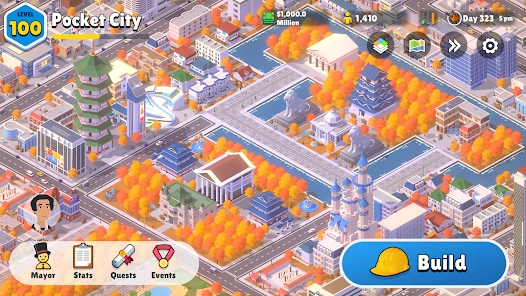
How do saves work in this game?
Cities are stored in slots, and each slot holds a separate city with its own progress. That structure is what makes it possible to run a progression city and an experimental city without them interfering.
Switching slots is a matter of choosing which city to load. Nothing is shared between them, so a mistake in one has no effect on the other.
It also means you can start a fresh city without abandoning the old one, which is useful when a layout has become tangled and you want to try a different approach from the start.
The practical advice is to name or recognise your slots clearly. A list of unnamed cities is the main way players lose track of which one they cared about.
On this page
When should you save deliberately?
Before any large demolition. Removing a district to insert a road or move a service is the most expensive action in the game, and it is the one most worth protecting against regret.
Before a major expansion. Buying land, connecting it and zoning it is a single sequence of decisions, and if the result does not work you would rather return to the state before you started.
Before trying an unfamiliar mechanic. If you have never built a tram line or reorganised a road network, save first and experiment freely.
And at the end of a session. It costs nothing and it means the next session starts where you intended rather than where you happened to leave off.
Should you keep more than one city?
Yes, for most players. A progression city and an experimental city serve different purposes, and keeping them separate stops an experiment from damaging the thing you care about.
A second city is also useful for comparing layouts. Building the same district two ways in two saves is the only reliable way to know which one actually works.
Keep the number of cities modest. Three well-understood saves are more useful than ten half-forgotten ones, because you need to remember what each was for.
If you only want one city, at least keep a spare slot for testing. The ability to try something without commitment is worth the small amount of management.
What happens if you lose a save?
It is rare, and the consequences depend on how much you had built. A lost city is not recoverable, so the sensible protection is redundancy rather than hope.
Keeping an experimental copy of a layout you like means you can rebuild it if a save is lost, without having to redesign it from memory.
Playing offline, which the game supports, removes one class of risk entirely. There is no connection to lose, so the save exists only on the device.
Beyond that, the usual advice applies: do not clear app data casually, and do not assume a cloud backup exists unless you have seen it.
How do saves interact with the two modes?
Normal play and sandbox are different cities rather than different settings on one city. That separation is what makes it safe to experiment in sandbox without touching your progression.
It also means progress does not carry between them. A city built in sandbox is not a normal city with the budget removed; it is a separate save with its own rules.
Keep them in clearly different slots. Mixing them up is the most common way players accidentally continue the wrong city for a session.
The practical arrangement is one slot for the city you are proud of and one for whatever you are currently curious about.
What are the common save mistakes?
Never saving before demolition is the first. It is the only action in the game that is genuinely difficult to reverse.
Keeping one slot for everything is the second. It means every experiment risks the city you care about.
Losing track of which slot is which is the third, and it produces the confusing experience of loading a city that is not the one you remembered.
Assuming a backup exists is the fourth. Check rather than assume, particularly before clearing storage on a device.
Not saving at the end of a session is the last, and it costs only the time between your last save and the moment you stopped.
One habit worth forming is to save immediately after a layout decision is finished rather than before you start the next one. That way the file always represents a coherent city rather than a half-rebuilt one, and returning to it later does not mean resuming in the middle of a demolition.
It also helps to keep a note of what each slot is for. A short label such as the district name is enough, and it removes the guesswork when you come back after a break.
Finally, resist the urge to save over a city you like just because the new one is more interesting today. Slots are cheap; the hour you spent on the old layout is not.
If you are testing a road layout that will take several sessions to complete, save under a name that makes the experiment obvious. That single habit prevents the most common form of confusion in this game, which is loading a city and not remembering what you were in the middle of doing to it.
Frequently asked questions
How many cities can I keep?
The game supports multiple slots, so you can keep several separate cities. Keep the number manageable.
Does sandbox use the same save as normal play?
No. They are separate cities with their own rules and progress.
Can I undo a demolition?
Only by loading a save from before it. That is why saving first matters.
Does the game need a connection to save?
No. It plays offline, and saves are local to the device.
What happens if I start a new city?
It occupies a slot of its own. Your existing cities remain unless you overwrite them.
For the mode separation, read how to use sandbox mode, or return to the Pocket City 2 hub.
Official game information: pocketcitygame.com.