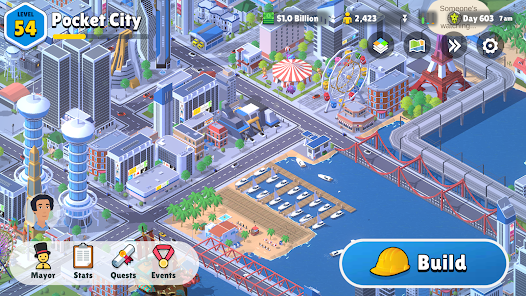
This guide covers pocket city 2 how to use free roam with practical steps for mobile players.
Quick answer: Free roam in Pocket City 2 lets you walk your city as an avatar, on foot or in a vehicle, instead of looking at it from above. Use it to spot problems the map view hides: blocks with no pavement access, service buildings whose radius misses the street behind them, and junctions where traffic funnels into one point. It is optional, and it is the fastest way to understand why a district is unhappy.
Most city builders show you a diagram. This one lets you stand in the diagram, and that changes what you can notice. A coverage circle looks fine from above and obviously misplaced when you are the person walking an extra block to reach a shop.
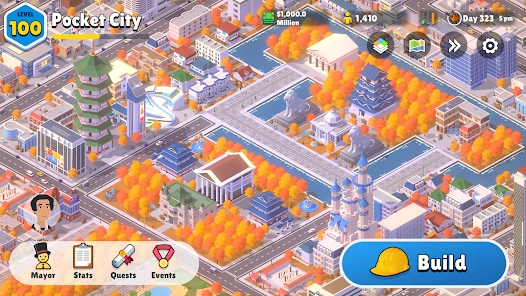
How do you enter free roam?
Switch modes from the interface, and your avatar appears in the city. You can then move around on foot, or take control of a vehicle if one is available to you, which is quicker for covering distance.
The city keeps running while you explore, so time passes and development continues. Nothing is paused, which means free roam is observation rather than a separate game mode.
You can return to the overhead view at any point, and everything you have built is unchanged. The two views are simply two ways of looking at the same city.
It works offline like the rest of the game, so there is no reason to avoid it on a commute or a flight.
On this page
What does free roam let you see that the map does not?
Access problems first. A zone that looks connected from above may have a pavement gap that forces a detour, and the detour is what makes a short trip feel long to a resident.
Coverage problems second. A service radius that appears to include a block often just misses it, and standing on the street shows you exactly which side of the boundary you are on.
Traffic problems third. A queue has a direction and a cause, and both are obvious from street level in a way that a red line on a map is not.
Atmosphere fourth. Free roam is where you notice whether the city actually looks like somewhere people would want to live, which is hard to judge from a grid.
How should you use it diagnostically?
Pick a complaint and walk to it. If residents are unhappy about something, going to the district and looking at it usually reveals the cause in under a minute.
Follow a route rather than wandering. Walking from a residential block to the nearest shop shows you the journey a resident actually makes, including any detours the road network imposes on them.
Check the edges of your services. Stand on the outermost street of a covered district and see whether the buildings beyond it are being served; that boundary is where the next service building belongs.
Then check the industrial boundary. Pollution drifts, and the visible edge of the affected area is often further into residential land than the zone border suggests.
Is there anything to do in free roam besides look?
There are interactions and activities scattered through the city, depending on what you have built and what the game is offering at the time. They are a pleasant diversion rather than a progression requirement.
Vehicles make travel faster, and using one is the practical way to cross a large city. On foot is better for detail; driving is better for distance.
Quests sometimes point you at specific places, and free roam is the natural way to reach them. Walking to a location is often faster than working out which menu entry corresponds to it.
None of this is mandatory. A player who never enters free roam can still build a working city, which is the right way to design an optional mode.
When is free roam most useful?
After a growth spurt. When a city doubles in size, the problems that appeared are usually access and coverage, and both are visible from the street.
When a complaint will not go away. If adding a service did not fix the unhappiness, walking the area usually explains why, and the answer is often that the service is on the wrong side of a barrier.
Before a big road change. Walking the route you are about to alter shows you who uses it, which is information the map does not give you.
And when the game starts to feel like administration rather than play. Free roam is the mode that reminds you what you have built.
What are the limits of free roam?
It is an observation tool, not an editor. You cannot zone or build from street level, so any fix requires switching back to the overhead view.
It also does not pause the simulation. If you spend a long time exploring, the city has been running the whole time, which matters if you left a district half-finished.
And it will not diagnose everything. Some problems, like a budget deficit or a zone mix that is out of balance, are only visible in the numbers rather than on the street.
Treat it as one tool among several. It answers questions about place, and the menus answer questions about systems.
Frequently asked questions
Does free roam pause the game?
No. The city keeps running while you explore, so development and traffic continue around you.
Can I build in free roam?
No. You observe from street level and build from the overhead view.
Is free roam required?
No. It is optional, though it is the quickest way to diagnose access and coverage problems.
Can I drive vehicles?
Yes, where they are available. Vehicles are the practical way to cross a large city quickly.
Why can I not reach part of my city on foot?
Usually a pavement or road gap. That gap is itself a finding, because residents face the same detour.
For the traffic diagnosis this mode supports, read how to fix traffic, or return to the Pocket City 2 hub.
Official game information: pocketcitygame.com.